

FNF Mobile Mods








Discover New Gameplay in FNF Mobile Mods!
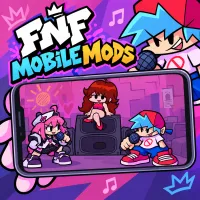
FNF Mobile Mods brings the Friday Night Funkin experience closer to players who enjoy exciting music battles on phones and tablets. From unique characters to fresh melodies, the world of FNF mods always has something intriguing to explore. Can you hit the right beats and get through consecutive note sequences on a touchscreen? Open the game, get familiar with the controls, and start your musical challenge now!
The Journey to Master Music Challenges on Mobile
In FNF Mobile Mods, your task is to follow the notes and perform the correct actions to the rhythm. When the arrows move towards the judgement line, you need to tap the correct directions to maintain your combo streak and gain an advantage in the battle.
On mobile devices, the controls may vary depending on the version. Versions optimized for touchscreens usually provide virtual buttons that you can tap in the corresponding directions. If the version supports an external keyboard, you can also use the familiar controls found on computers.
The greatest challenge is maintaining accuracy as the song gets faster or multiple notes appear in quick succession. You should start with a suitable difficulty level, observe the button layout, and get familiar with the rhythm before trying more complex songs.
How to play FNF Mobile Mods
- Open the Game: Visit the game page in your browser or launch a version compatible with your device.
- Check the Controls: Read the in-game instructions to identify the supported touch buttons or keys.
- Follow the Notes: Pay attention to the direction of the arrows as they move towards the judgement line.
- Tap or Press at the Right Time: Perform the corresponding action for each note to maintain the rhythm.
- Practice on Easy: Get familiar with the song's speed before moving on to more difficult challenges.
- Try Different Mods: Explore new music styles and characters if your version offers multiple options.
How to control
- Touchscreen: Tap the virtual arrow buttons if the game supports touch controls.
- Keyboard: Some versions support WASD or the Arrow Keys.
Find more musical adventures to play!