


FNF x YARARARA - Vocaloid BZ_CWY Version



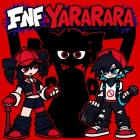
Welcome to FNF x YARARARA – Vocaloid BZ_CWY Version, where Boyfriend faces Kasane Teto. It takes place in a rhythm battle amid a zombie scene and baseball bat swings. The arrows do not just move to the beat of the music; they also shake, making you focus on tracking their direction. Can Boyfriend complete the performance and defeat the zombies? Jump into the game and catch the beat!
About FNF x YARARARA – Vocaloid BZ_CWY Version
FNF x YARARARA – Vocaloid BZ_CWY Version is a Friday Night Funkin’ mod inspired by the song ヤラララ (YARARARA) by AnythingBecomeMoe (ABM). The song uses the synthesized voice of Kasane Teto SV2, while ABM also created the visuals and animation for the original music video.
In the BZ_CWY version, Boyfriend is brought into the world of the music video, featuring zombies, baseball bats, and animated scenes synchronized with the music. You control Boyfriend and press the arrow keys at the right time to keep up with the performance.
Experience the YARARARA Song
FNF x YARARARA – Vocaloid BZ_CWY Version has only one song, YARARARA, with Normal difficulty and a duration of around two and a half minutes. There is only one chart, but the visual effects make the gameplay less straightforward.
- YARARARA: A song by AnythingBecomeMoe featuring the voice of Kasane Teto SV2, taking you through zombie scenes and baseball sequences. The shaking arrow targets, combined with the camera scenes and motion effects, give the song its own unique highlight.
The Main Characters Shining in the Mod
- Kasane Teto: Boyfriend’s opponent, wearing a baseball outfit with a red cap and dark clothes. Teto holds a bat in the zombie scenes.
- Boyfriend: The character controlled by the player. He appears in an outfit that fits the baseball setting and changes poses throughout each section.
- Hatsune Miku: Appears with Teto in the opening before the main performers enter the gameplay.
How to master the control
- WASD or Arrow Keys: Hit the notes.
- Hold the corresponding key: Hold long notes.
- Enter: Confirm a menu selection.
- Enter or Esc: Pause the song.
- Tap the arrows on the screen: Play on touchscreen devices.
Challenge yourself with exciting new mods!